

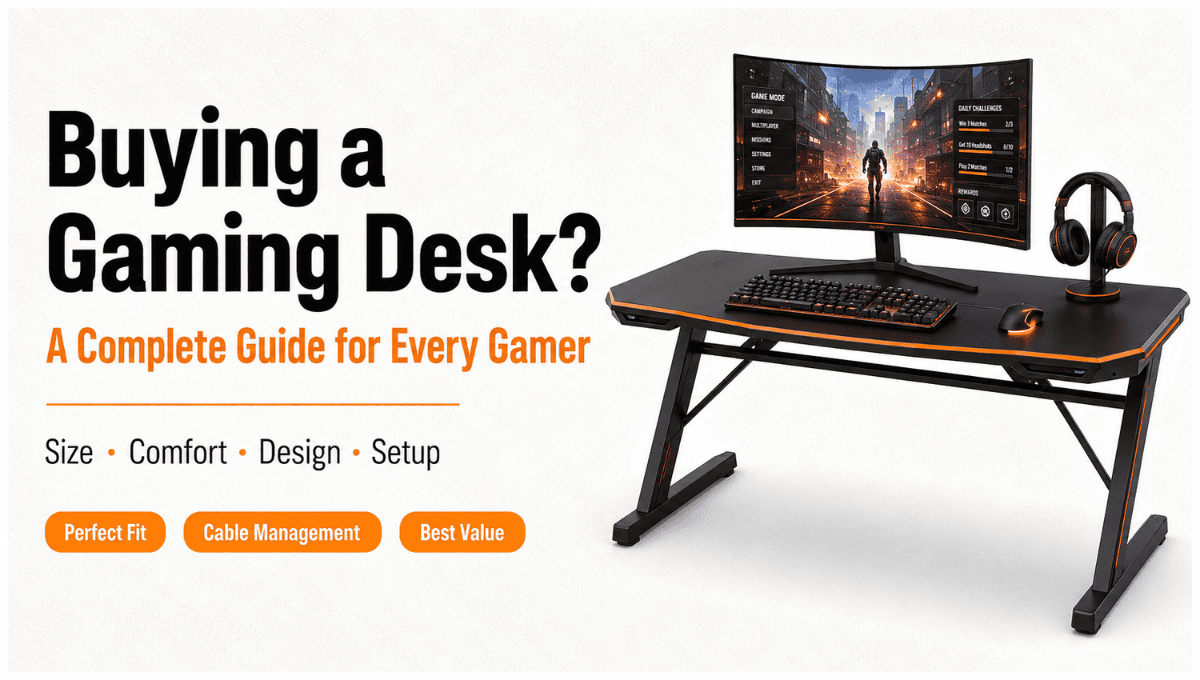
Buying a Gaming Desk? A Complete Guide for Every Gamer
Summary: The right Pc Gaming Desk can ensure that your gaming environment is comfortable and organized. The following guide gives you information on how to select the appropriate size, style, storage, cable management, and space for your monitor and other gaming equipment. This guide will help you know what to expect before purchasing,
A Gamer’s Guide to Choosing the Perfect Pc Gaming Desk
Gaming Computer Desk | Gaming Furniture | Best Gaming Desk
The selection of a pc gaming desk is vital to having the perfect gaming experience and gaming setup.

Your gaming desk should be large enough to accommodate all your computer components, including your monitor, keyboard, mouse, etc. There are various aspects that you should consider while choosing a Pc gaming desk, which include its size, height, design, storage facilities, cable management, and availability of space in the room. It can be a small desk in the shape of an ‘L’ or may even be a tall gaming desk.
How To Select The Best Pc Gaming Desk?
The best gaming desk need not necessarily be the largest or costliest one. It has to suit your room and gaming needs.
Before shopping, consider these five factors:
- Available floor space
- Number and size of monitors
- Gaming PC and accessories
- Preferred sitting or standing position
- Storage and cable management needs
Begin with the identification of the area where the table is to be placed. It should have enough space so that the chair can move without any difficulty, without touching the doors, drawers, and windows.
Space required for your gaming equipment must also be considered. If you are using only one monitor, then you would be okay with a small table; however, if you have more than one or even two monitors, you will need extra computer desk space. This perfect computer desk will provide you with ample room to place your keyboard, mouse, monitors, and other devices.
Consider Your Current Setup for Gaming
The size of the desk should be among the first things to take into account when buying furniture. It is not convenient to use a small desk, while an overly large one will be inappropriate in a small room.
Selecting the Right Desk for Your Computer Gaming
One of the most important things to consider when buying anything is the size of the desk. A desk that is small in size is very difficult to use, while a large desk will take up too much space in a small room.

Small Gaming Desk
Small gaming desks are ideal for use in the bedroom, apartment, dorm, or even in small gaming spaces.
This type of table will be ideal for gamers who have only one computer screen or a laptop. The advantage that comes with utilizing the small gaming desk is space-saving. However, you should always remember not to overcrowd your desk with various accessories.
If you love having your stuff clean rather than large, then you should opt for the small desk.
Large Gaming Desk
The benefit of a large gaming desk lies in the extra space that is available to you. A large-sized gaming table may also be able to accommodate multiple screens, separate areas for keyboards and mice, loudspeakers, controllers, chargers, and even some decorations.
Height-adjustable desks are best suited for individuals who work on video content production or gamers who prefer using multiple screens while playing their favorite games.
However, do not forget to measure the dimensions of your room before getting one of these big gaming desks.
L-Shaped Gaming Desk
The L-shaped desk for gaming makes use of corners and offers two connected desks that can be useful if you wish to have a separate workspace for gaming, studying, streaming, and working.
The corner gaming desk makes it easier for you to clear some floor space in the center of the room. One end of the desk can contain your gaming console, and the other can contain your paperwork, another computer, or accessories.
This type of desk is quite helpful when you require additional desk space in a compact way.
Consider Desk Height and Comfort
Games take time, so it is important that the gamer feels comfortable. The height of the table will determine how your arms sit, how your shoulders sit, and the way you sit overall.
Your desk must accommodate the way your arms are supposed to lie when typing on the keyboard and mouse. Your computer screen must also be at an angle where you do not always have to bend your head downwards.
Traditional tables have fixed heights, but some are adjustable desks.
Standing Gaming Desk
With a standing gaming desk, you will have the freedom to either sit or stand. It can also help when you share the desk with other people or if you need to switch positions while working and playing games.
Adjustable I-shaped gaming desks are available in many types of adjustability, such as manual or electric. The latter option is perfect when you often move around.
It is worth comparing the minimum and maximum height, the stability of the frame, the load capacity, and the type of adjustability.
What is crucial is not just having the adjustable desk. It is necessary to choose the right height range for your body and chair.
Pick a Style That Matches Your Setup
There are gaming desks designed in various styles, ranging from simplistic, minimalistic designs to complex types that have lights and other features.

The gaming desk you choose must suit your gear and complement the decor of your room.
Black Gaming Desk
A black gaming desk is a popular choice because it works well with many gaming setups. It can create a clean, professional appearance and pair easily with black monitors, PC cases, speakers, and accessories.
Modern Desk
A modern desk generally focuses on clean lines, simple shapes, and minimal visual clutter. It can work particularly well if your gaming space also functions as a study or home office.
Cool Gaming Desk
If appearance is an important factor in your configuration, a Cool Gaming Desk will be a perfect fit for you because of its distinctive legs, accessories, light system, and gaming-style desk.
However, keep in mind not to take only the appearance into consideration while making the choice. The gaming desk setup can be really nice to look at, but too small or wobbly for you to sit at.
LED Gaming Desk
The LED Gaming Desk will definitely become an excellent visual addition to your desk. RGB lighting / LED lighting can fit your computer lights and create an immersive environment.
However, lighting serves only decorative purposes. The primary thing that must be taken into consideration is the desk.
Check Storage and Cable Management
A gaming desk can quickly become messy when multiple cables run between your PC, monitors, speakers, controllers, chargers, and other devices.
Good cable management helps keep the setup cleaner and makes it easier to identify or replace cables.
Look for useful features such as:
- Cable-management holes
- Under-desk cable trays
- PC holders
- Headset hooks
- Built-in power cable channels
- Storage shelves or drawers
The issue of storage space should not be ignored either. While some gamers like having an open computer desk since it allows creating a minimalistic look, other players require drawers and shelves where they will be able to store controllers, games, paperwork, and additional accessories.
If all your equipment is stored somewhere else, a plain desk would be sufficient. Otherwise, opt for a desk that will have storage space built into it.
This is one instance when Desk Furniture can make a difference to the entire room arrangement.
Match the Desk to Your Gaming Equipment
Create a list of all items that need to be placed on your desk prior to purchasing one.

For example:
- Gaming computer monitors
- Keyboard and mouse
- Speakers
- Microphone
- Console
- Controller
- Charger
- Desk light
- Webcam
- Monitor arm
Think about the equipment that should be fixed on the desk.
The computer itself can be placed either on the ground, on a computer stand, or even in a special cabinet. If you prefer to have it placed on your desk, be sure that it has enough space and is able to hold it.
Moreover, monitor arms can help you save space; however, they need an appropriate place for mounting and a strong desk.
In case you create a streaming station, be ready for the fact that microphones, cameras, lighting, and other monitors can take up a lot of space.
Gaming Desk Materials and Build Quality
Appearance, stability, and durability of the table are determined by the design and material of construction.
The most common materials for the construction of this furniture item are engineered wood, natural wood, metal, glass, and laminate.
Each of the listed materials has its strengths and weaknesses.
Engineered wood and laminate would give the best results in terms of appearance, durability, and cost.
Natural wood would have a good appearance and quality, but it would be heavy and costly.
Metal makes a good material for the frame and support.
Glass provides a contemporary appearance but needs special care due to fingerprints and dust.
It is wrong to consider the material of the tabletop as the only condition for evaluating the table. Take into account some other criteria such as design, legs, joints, thickness of the surface, load capacity, and stability.
Shaking of the desk when using the mouse and writing is quite distracting during gaming.
How Much Should You Spend on a Gaming Desk?
There could be large differences in computer desk prices depending on the size, material, features, and even construction of gaming desks.
Rather than picking out a desk just because it is inexpensive, figure out what your needs are first and then compare the available products according to your budget.
A simple desk could work well for basic setups that offer sufficient space and stability. Conversely, it would make more sense to pay more for certain features like electronic height adjustment, cable management, extra storage, and a bigger surface area.
It is advisable to allocate your budget and desk prices accordingly.
Budget Gaming Desk
The budget gaming desk for budget-conscious gamers should emphasize the following features:
- Solid construction
- Proper dimensions
- Appropriate height
- Good load-bearing capacity
- Proper cable management
RGB lighting and built-in speakers aren’t necessary.
For your first build, a basic desk might be more than enough.
When Spending More Makes Sense
Consider investing more when you:
- Use multiple monitors
- Work and game at the same desk
- Need electric height adjustment
- Have heavy equipment
- Want integrated storage
- Need a very large surface
- Expect to keep the desk for many years
The goal is to buy the desk that provides the features you will actually use rather than paying for features that simply look impressive.
Build a Better Gaming Desk Setup
Once you have selected the desk, the arrangement of your equipment can make a major difference.
Start with the monitor. Position this object directly in front of your main seat location and place your keyboard and mouse such that you can operate them without stretching too much. Items you rarely use can be moved to shelves or storage. Cable management should be completed after positioning your equipment. Route cables along the back or underside of the desk and group related cables together where possible.
You can also use these gaming desk ideas to improve the setup:
- Keep the desktop visually simple.
- Use a monitor arm when appropriate.
- Put your computer in a place that allows airflow.
- Organize your chargers and any extra cables.
- Store items you don’t use often under the desk to keep your gaming area clean and organized.
- Leave enough mouse space for your preferred sensitivity.
- Add lighting only after the functional layout is complete.
The best gaming desk setup is not necessarily the one with the most accessories. It is the one that makes your equipment easy to use and keeps the space comfortable.
Common Gaming Desk Buying Mistakes
Even experienced gamers can choose the wrong desk if they focus on appearance instead of practical requirements.

Buying Without Measuring
Never assume a desk will fit because its photos make it look compact. Check its complete dimensions and compare them with your available floor space.
Choosing Too Little Surface Area
A desk may look spacious enough in an online listing, but photos do not always show how much usable space it actually provides. Once you place your monitor, keyboard, speakers, and other accessories on it, the surface can quickly feel crowded and uncomfortable.
Ignoring Weight Capacity
If you plan to use multiple monitors, a gaming PC, or other heavy equipment, check the desk’s maximum weight capacity first. Make sure it can safely support the total weight of all your devices without becoming unstable or damaged.
Prioritizing RGB Over Construction
Lighting can make your gaming setup look more stylish and attractive, but it cannot fix a weak or unstable desk. A poor-quality desk may shake or wobble, making it difficult to keep your gaming equipment safe and properly placed.
Forgetting Cable Management
Good cable management keeps your gaming setup clean and organized by preventing wires from getting tangled. It also makes your desk look neat and professional while making cleaning and managing your equipment easier.
Buying Only for Your Current Setup
Think about possible upgrades. If you plan to add a second monitor or streaming equipment soon, compare desk prices and choose an option that fits your budget while meeting your gaming needs.
7 Things to Check Before Buying
- Use this quick guide before placing your order:
- Measure your available space.
- Decide the number of screens you would need.
- Measure the desk’s size and weight capacity.
- Verify that the height suits you well.
- Look for practical cable-management features.
- Decide whether you need storage or an open surface.
- Compare features and build quality within your budget.
Also check the return policy and warranty, particularly when buying an expensive desk online. If possible, look at detailed product specifications rather than relying only on product photos.
Why Choose Crafted Furniture for a Gaming Desk?
Crafted Furniture is the best choice for gaming desks because a gaming desk is one of the most critical pieces of furniture you must have to set up your gaming area. When you have furniture made just for the purpose, then you are guaranteed high-quality, durable, comfortable, and stylish furniture. You can customize it to suit your requirements in terms of size, design, storage, materials, and cable management.
Conclusion
Select a PC Gaming Desk depending on the size of your room, your requirements, desk height, storage facilities, and the budget. A small desk will be suitable for smaller places, but large and L-shaped desks would be appropriate for more than one monitor.It should be able to provide stability, working space, and also storage space. A height-adjustable desk can help you to enjoy your gaming time comfortably. But you don’t need the best one, as you just need something that provides quality, utility, and durability.
Contact us now to discover the perfect Pc Gaming Desk for you.
FAQs
What is the perfect size of a gaming desk?
This depends entirely on how much equipment you have and how much space you have. A smaller desk is more suitable if there is only one monitor; otherwise, a bigger desk is recommended.
Is an L-shaped gaming desk better than a regular desk?
An L-shaped desk can be better if you need more surface area or want to use a corner efficiently. A regular desk may be more suitable for smaller rooms or simpler setups.
Which is better between an L-shaped desk and a normal one for gaming?
L-shaped desks may offer some benefits over conventional desks depending on whether there is a need for increased space or efficient use of corner space.

Leave a Comment
Your email address will not be published. Required fields are marked *