

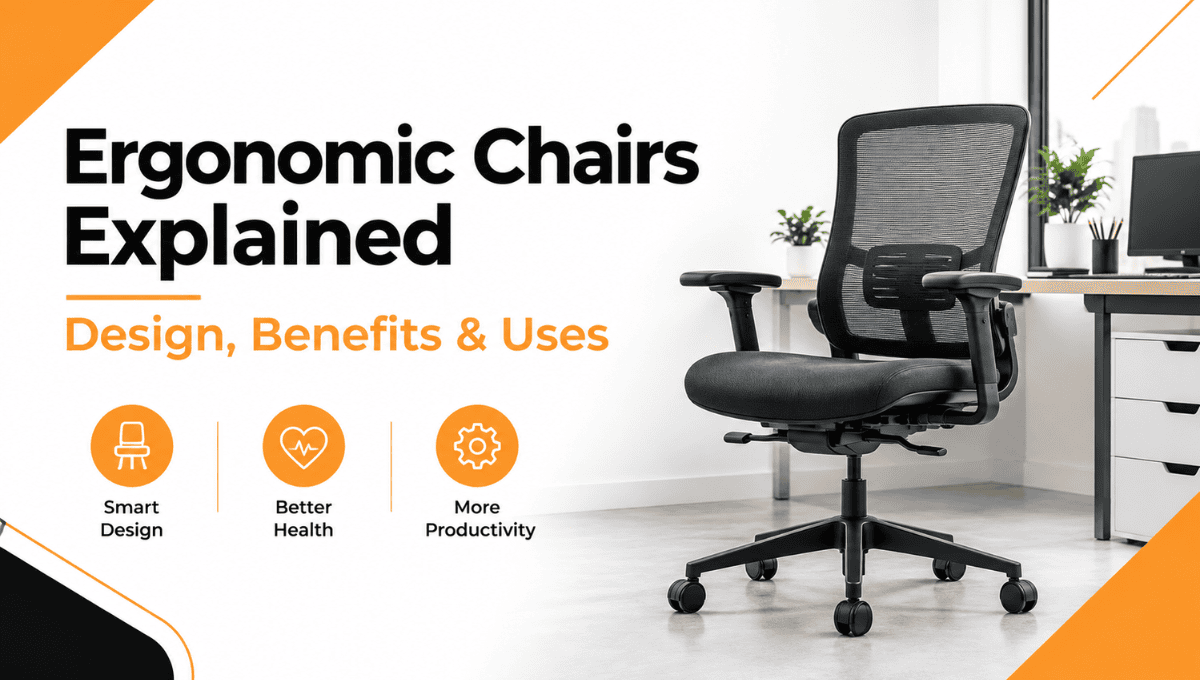
Ergonomic Chairs Explained: Design, Benefits & Uses
Summary: Ergonomic chairs are designed to offer comfort and support while you are sitting for long periods of time. This content focuses on the design of ergonomic chairs and their features. Furthermore, it provides details about the advantages and the application of these chairs in practical life. The purpose of this report is to highlight the selection of the chair through its description.
A Complete Guide to Ergonomic Chairs: Designs, Benefits & Uses
Best Office Chairs | Ergonomic Desk Chair | Visitor Chairs
Ergonomic chairs improve the sitting experience by providing better support and comfort for the back, legs, arms, and body. Unlike normal chairs, ergonomic chairs allow users to adjust them according to their needs.
Whether you work at a desk, study from home, or sit for long hours every day, understanding the design, features, benefits, and uses of ergonomic chairs can help you choose the right chair.
Ergonomic chairs support the user’s body and posture. Features such as seat height, lumbar support, backrest adjustment, seat depth, armrests, and reclining capabilities help create a better working environment.
What Are Ergonomic Chairs?
Ergonomic chairs provide support for the body, where one is able to adjust the chair according to their particular sitting posture. These chairs typically come with parts that provide support to the back, legs, and arms.
 A well-designed and properly adjusted chair helps create a comfortable computer workstation and prevents awkward sitting postures.
Unlike a standard chair, an ergonomic chair prioritizes flexibility and posture support. This type of chair helps people who sit and work for long periods.
What Makes a Chair Ergonomic?
The key aspect is not just the way the chair looks. Rather, ergonomic design takes into account how suitable the chair is for its user.
Important features include:
- Adjustable seat height
- Supportive backrest
- Lumbar support
- Adjustable seat depth
- Comfortable seat padding
- Adjustable armrests
- Recline or tilt adjustment
- Strong five-leg base
- Easy movement with suitable casters
The OSHA recommendation for choosing a proper chair for a computer station includes paying attention to such components as the backrest, seat, armrests, and base.
Adjustable Seat Height
The seat height adjustment is very critical as it helps individuals position their feet correctly in relation to the table and the computer.
Your feet should ideally touch the floor or the surface of a sturdy footrest.
Lumbar and Back Support
It is necessary to provide appropriate support for the lower back, as it ensures that the natural curve of the spine is maintained. The ideal backrest should provide adequate support to the lumbar region.
And this is why back support chairs are often the most popular choices when purchasing an office chair.
Adjustable Armrests
The armrests provide support to the lower arms and help in keeping the shoulders relaxed. But they need to be properly placed and should not restrict the movement of the chair towards the desk.
Seat Depth and Comfort
A chair should be designed in such a way that it supports most of the thighs without resting on the back of the knee. A chair with adjustable seat depth would make fitting easier.
What Are the Main Types of Ergonomic Chairs?
There are various types of ergonomic chairs depending on varying needs during work. These include:

Ergonomic Mesh Chair
A mesh ergonomic chair is an ergonomic chair that has mesh fabric for its seat or back support. This kind of chair may be suitable for people who like chairs with more airflow.
Ergonomic Kneeling Chair
A Kneeling Chair is one that employs an alternate mode of seating since it does not make use of a normal sitting posture. The ergonomic kneeling chair allows support for the knees.
High Back Chairs
High-back chairs offer a bigger area for the backrest and could be ideal for those who need more support to the upper back.
Low Back Chairs
Back support chairs are shorter in length and can be used when a simple design or more mobility is needed.
Revolving Chair
The revolving chair helps the person move without moving the whole chair each time. This is beneficial when working in an area where things are placed around the desk.
What Are the Benefits of Ergonomic Chairs?
The key advantage of using an ergonomic chair is the ability to adjust the chair to offer maximum comfort and support.
1. Better Sitting Support
An appropriate chair would assist one in having better posture and support the back, arms, legs, and buttocks.
2. Improved Workstation Comfort
An appropriately fitted chair may increase the comfort level of work at a desk, especially when used in connection with an appropriately arranged desk, keyboard, mouse, and screen.
3. Better Posture Support
Adjusting the chair correctly can aid in obtaining proper posture. According to OSHA, the back should be supported, the shoulders relaxed, the elbows near the body, and the feet properly supported.
4. More Flexibility
Users have the freedom to adjust the seats in relation to the height of the seat, backrest, armrests, and other related factors.
5. Suitable for Different Workspaces
Ergonomic designs can be applied to offices, study spaces, home desks, and any other place where individuals sit for a long time.
How Do You Choose an Ergonomic Chair?
Selection of a chair should focus on fit, adjustability, support, and comfort. The following factors need to be taken into consideration before purchasing one.

Check the Seat Height
Ensure that your feet can easily rest flat on the floor or that there is a footrest for your use, as well as the right desk height.
Look for Lumbar Support
Select one with lumbar support, which helps support your lower back. You may consider one that has adjustable lumbar support.
Consider Seat Depth
The chair must provide thigh support without exerting pressure on the back part of the knee joint. Depth adjustment would be very helpful when there are various users with different body sizes.
Check the Armrests
The armrests that are adjustable can provide the necessary support without tensing up the shoulders. The armrests must allow the positioning of the chair correctly.
Test the Chair for Comfort
Although an office chair might be comfortable to the eye, it could be entirely different when actually sitting on it. It is recommended by OSHA to try out different chairs before buying them.
Are Ergonomic Chairs Suitable for Home Use?
Yes. Home ergonomic chairs can help with work, study, reading, or any other work at a desk.

The home office setup should not be considered any different from the office environment just because the space is small. The chair, desk, computer monitor, and keyboard should work harmoniously to ensure that you sit in comfort without any stretching or bending.
For instance, ergonomic furniture that includes both desks and chairs together can be beneficial for designing a more effective working environment than selecting these individually.
How Should You Use an Ergonomic Chair?
Purchasing an adjustable chair is just the beginning. It also needs to be adjusted to fit your body and workplace.
- Set the seat height so your feet are properly supported.
- Adjust the backrest so your lower back is supported.
- Set the seat depth so your thighs are supported without pressure behind the knees.
- Adjust the armrests so your shoulders remain relaxed.
- Position your desk and monitor so you do not need to lean or twist unnecessarily.
- Change your sitting position regularly instead of remaining still for long periods.
OSHA actually suggests that workers change their postures and take time out to stand and walk around during the day.
Ergonomic Chair vs Traditional Chair
| Feature | Ergonomic Chair | Traditional Chair |
| Seat height | Usually adjustable | May be fixed |
| Lumbar support | Often adjustable | May be basic |
| Armrests | Often adjustable | Usually fixed or simple |
| Seat depth | May be adjustable | Usually fixed |
| Recline | Commonly adjustable | Depends on design |
| Main focus | Fit and body support | Basic seating |
Though different models may have varied features, the traditional chair may also have certain ergonomic benefits to offer, and not all ergonomically designed chairs have adjustable features.
Where Can Ergonomic Chairs Be Used?
Ergonomic chairs are useful in many settings, including:
- Home offices
- Corporate offices
- Study rooms
- Computer workstations
- Reception and work areas
- Personal workspaces
These are some examples where ergonomic chairs may be taken into consideration when purchasing a chair that is comfortable, adjustable, or supports good posture for desk work.
In any case, the chair must be chosen based on the size of the user, the workstation, and the tasks performed, not just because it is ergonomic.
Why Choose Crafted Furniture for Ergonomic Chairs?
At Crafted Furniture, ergonomic chairs can be viewed as an integral part of a comfortable and functional workstation arrangement. What matters is the integration of functionality and design of the chair in contemporary office and home workstations.
If you are looking to purchase a good chair that is comfortable to use while doing work, studying, or sitting at your workstation, then Crafted Furniture can assist you in finding furniture made especially for everyday use.
Conclusion
The features of ergonomic chairs are aimed at improving the user’s sitting experience in terms of increased comfort, convenience, and support. These may include adjustable seat height, backrest tilt, lumbar support, armrests, and seat depth, among others.
Before selecting one, think about how you will be using the chair, for how long, the layout of your desk, and what features you really need. For more useful furniture and workspace ideas, explore the blog. Moreover, an ergonomic chair will work well only when it is adjusted correctly in combination with your properly organized workspace.
If you need help choosing the right furniture for your space, contact us for more information.
FAQs
Are ergonomic chairs good for long hours of sitting?
It is possible to have ergonomic chairs, which would be able to give you adjustable supports, but you have to make sure that you get up from time to time and move around.
What is the most important feature of an ergonomic chair?
There is no one-size-fits-all solution. Adjustable seat height and proper lumbar support help the chair suit the user and workspace.
How do I know if an ergonomic chair fits me?
Make sure your feet and lower back are supported, the seat does not press behind your knees, and the armrests keep your shoulders relaxed. Check the chair’s comfort before buying.

Leave a Comment
Your email address will not be published. Required fields are marked *